Fastest DNS Servers in 2026 (Speed & Security Tested)

 Study duration :
11 Minutes
Study duration :
11 Minutes  0 Comment
Fastest DNS servers can make a noticeable difference in how quickly websites start loading. Sometimes a slow-opening page isn’t caused by your internet speed at all it’s simply the time it takes for your DNS to respond.
Every time you type a domain name into your browser, your device asks a DNS server to translate it into an IP address. If that lookup takes longer than it should, everything feels slower from browsing and streaming to online gaming.
In this guide, we’ll look at the fastest DNS options available right now and compare their performance, security, and privacy features.
What Are DNS Servers?
DNS is basically the thing that figures out where a website actually is.
When you type a domain into your browser, your device doesn’t magically know where to connect. It has to ask somewhere, “Where is this site hosted?” After that, the connection starts.
You don’t normally see this step. It just happens in the background. But if that answer takes longer than it should, you’ll notice a small delay before a page begins loading.
That’s really all DNS does. It translates names into addresses.
Most people use the DNS provided by their ISP without thinking about it. Others switch to public DNS services because they want better response times or more privacy. The job stays the same only the provider changes.
How DNS Affects Speed and Security
DNS only controls one thing: how fast a domain name turns into an IP address.
That happens before any website loads. If the DNS reply is quick, the page starts loading right away. If it’s slow, there’s a short delay. That’s it.
Changing DNS won’t increase your download speed. It just changes the lookup time.
Some DNS providers block known malicious domains. Some support encrypted queries. That can reduce certain risks, but it doesn’t replace antivirus or firewall protection.
DNS is just the lookup step in the connection process.
Best Fastest DNS Servers for 2026
In selected DNS servers, speed and security features must complement one another. Below are some of the third party DNS servers pinpointed to be both the fastest and the most secure in 2025:
Google DNS (8.8.8.8 & 8.8.4.4)
Pros:
Speed & Reliability: The service offers one of the fastest speeds and is extremely reliable, making it one of the most frequently accessed public DNS services.
Responsive: Google has servers around the world which enables it to provide quick response times for users from different regions.
Security: Google DNS also supports DNSSEC (DNS Security Extensions), which prevents certain security threats such as cache poisoning.
Cons:
Privacy Issues: Since data is operated by Google, certain privacy concerns come into place regarding the tracking of user DNS data queries.
Performance: Google DNS fluctuates between very low latency and high uptime, placing it amongst the top services in most DNS speed tests.
Primary DNS: 8.8.8.8
Secondary DNS: 8.8.4.4
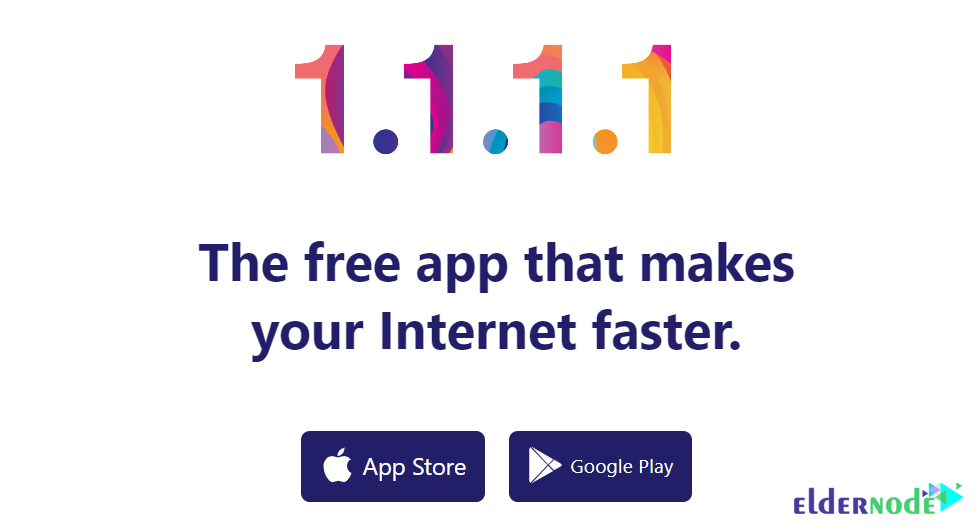
Cloudflare DNS (1.1.1.1 AND 1.0.0.1)
Pros:
Specialized Focus On Privacy: Cloudflare does not sell or share your data, even promising “no logging” which makes them one if not the best option for privacy users.
Cloudflare DNS is one of the fastest if not actually the fastest DNS servers with incredibly low response times.
These encryption protocols enables the private and secure DNS queries snooping is made impossible.
Cons:
The speed and privacy features are unparalleled, but Cloudflare DNS still has limited phishing and malware protection features like some other services such as OpenDNS.
Around the globe Cloudflare is one of the fastest DNS servers for an extended period of time constantly ranking as the best choice for speed in various speed tests.
Primary DNS: 1.1.1.1
Secondary DNS: 1.0.0.1
OpenDNS (208.67.222.222 and 208.67.220.220)
Pros:
Security: OpenDNS delivers excellent security as it comes with protection from phishing, malware, and botnet attacks. It also has a powerful filtering system that allows for content control.
Dependability: OpenDNS offers high uptime and performance due to its servers being strategically located around the globe.
Cons:
Slow Speeds In Certain Area
Paid Options: More sophisticated features such as additional security filters and reporting require a paid subscription (OpenDNS home or Family).
Effectiveness: OpenDNS is moderately effective but in some areas, won’t perform as well as Cloudflare or Google DNS.
Primary DNS: 208.67.222.222
Secondary DNS: 208.67.220.220
Comodo Secure DNS
Comodo Group is a hosting service team that in addition to hosting services, also provides DNS services to users. One of its strengths is the protection of the security and privacy of users and blocking phishing sites. It can also keep you away from spyware and malicious content. It even warns you when you visit sites with malware, spyware, or pop-ups.
Note: If you want more features, the Dome Shield service is a good alternative to this collection, which is part of the paid services.
Primary DNS: 8.26.56.26
Secondary DNS: 8.20.247.20
Quad9
Quad9 is one of the newest DNS services that provide Internet services with the fastest and easiest possible mode. This newly entered DNS server has a relatively high speed. One of its strengths is blocking infected sites, but it does not have much competition with other DNS and its position and infrastructure can not be compared with its competitors.
There is no qualitative discussion about this DNS. It has a score of 7 out of 10 in the world rankings, after Cloudflare and OpenDNS, and of course in a better position than Comodo.
Primary DNS: 9.9.9.9
Secondary DNS: 149.112.112.112
Conclusion
Changing your DNS isn’t some dramatic upgrade. It’s a small tweak.
In most cases, you won’t see your internet speed jump overnight. What you might notice is that websites start loading a bit quicker that tiny pause before a page appears can shrink. Over time, that’s what makes browsing feel smoother.
Some people care more about privacy. Others just want the lowest possible response time. There’s no universal “best” DNS it depends on where you are and what you expect from it.
If you’re curious, test a couple of them. It takes a few minutes to switch, and you can always switch back.
Sometimes the simplest changes are the easiest to try.