Special Offer



How to Make Custom Map for Rust Server



If you’ve ever played Rust, you know how much the map can change the whole game. Want to know how to Make Custom Map for Rust Server? Making your own custom map? That’s a game-changer. You get to build wild landscapes, hide secret spots, and set up challenges exactly how you want.
Before jumping in, you don’t need to be a server pro, but knowing the basics of running a Rust server helps. Trust me, it’ll save you a ton of headaches later, and your map will run smoother for everyone.
Whether you’re hosting your own server or just tinkering for fun, this guide walks you through it all. From using map editors to setting up your server and sharing your creation with friends or the community, you’ll get the hang of it. Ready?
Understanding Rust Server Setup Basics
Before you go wild making a custom map, you gotta get your server in shape. If the server’s shaky, your map’s gonna lag or crash, nobody wants that.
Step one: pick a hosting service that won’t choke on Rust. Make sure it’s got decent CPU and enough bandwidth, trust me, even a cool map can get ruined on a slow server.
Next, grab the Rust server files and install them. Then, mess around with the config files a bit, don’t worry, it’s not rocket science. Oh, and make sure your firewall isn’t blocking anything and the ports are open.
Once that’s done, boom, you’re ready to start building your map without everything going sideways.
Choosing and Installing a Rust Map Editor
Alright, first things first: you need the right map editor. RustEdit is what most people go for, it’s got all the tools you’ll need and lets you tweak almost everything. If you’re wondering how to make a custom Rust map, RustEdit makes it way easier, from laying out the terrain to adding the finishing touches.
Getting it set up is simple:
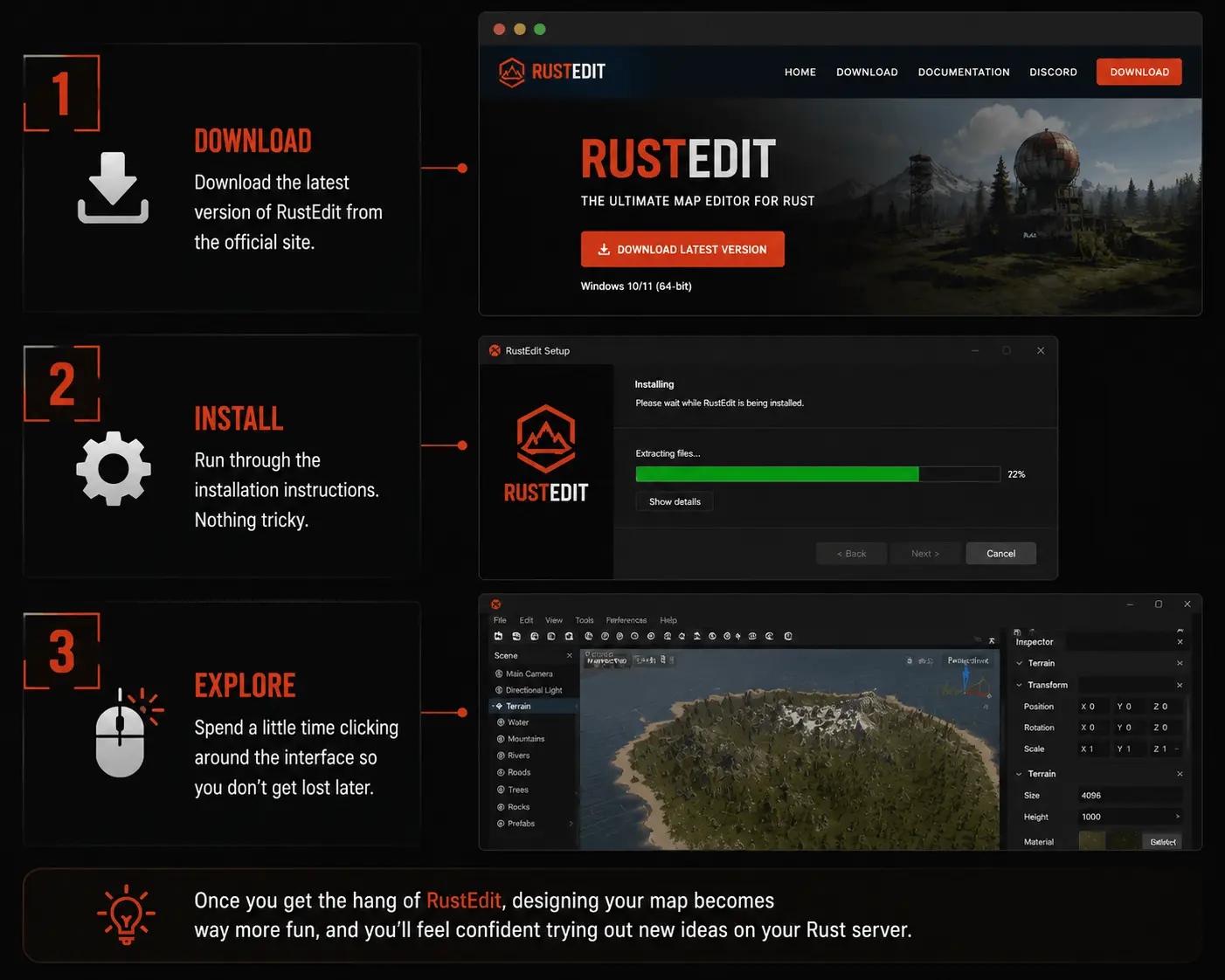
- please download the latest version from the official site.
- Run through the installation instructions (nothing tricky).
- Spend a little time clicking around the interface so you don’t get lost later.
Once you get the hang of RustEdit, designing your map becomes way more fun, and you’ll feel confident trying out new ideas on your Rust server.
Designing Your Custom Rust Server Map
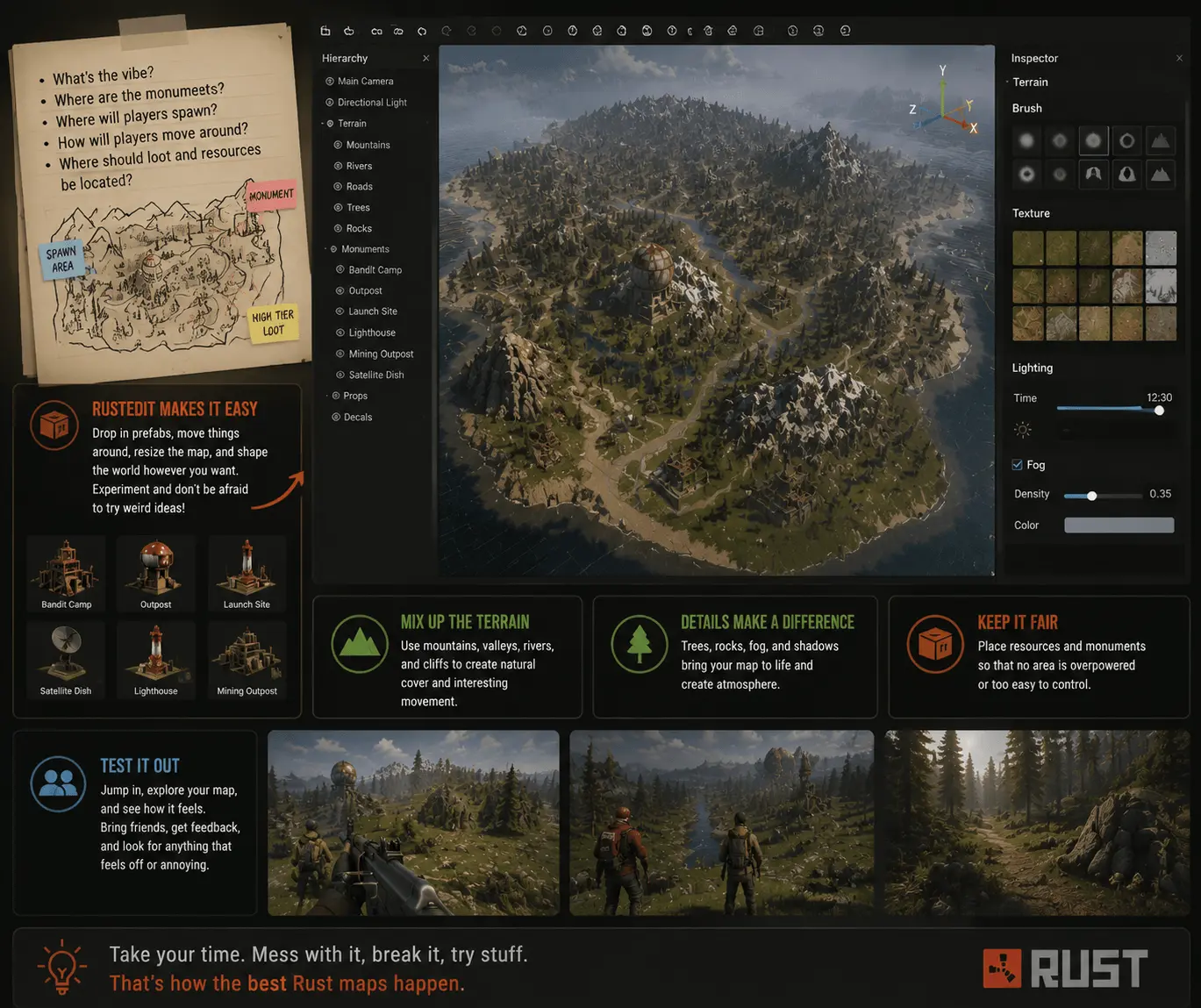
So, making your own Rust map is kinda like building your own playground. First, you need a rough idea in your head, like what kind of vibe you want, where the hills go, where loot might spawn, stuff like that. Think about how players are gonna move around, fight, explore.
RustEdit makes it easy to mess around. You can drop in prefabs, move things around, make the map big or small, whatever you feel like. Don’t think too much about it, just play with it. Honestly, some of the weirdest layouts end up being the most fun.
Some things I’ve learned that actually matter:
- Mix up the terrain so it doesn’t feel flat or boring.
- Little touches like fog, trees, or shadows make a huge difference.
- Make it fair, resources should be findable, but not too easy.
- Jump on your map and wander around. Bring a couple friends, let them mess with it too. If something feels weird, annoying, or just off, fix it as you go.
Seriously, take your time. Mess with it, break it, try stuff. That’s how the best maps happen.
Exporting and Uploading Your Custom Map
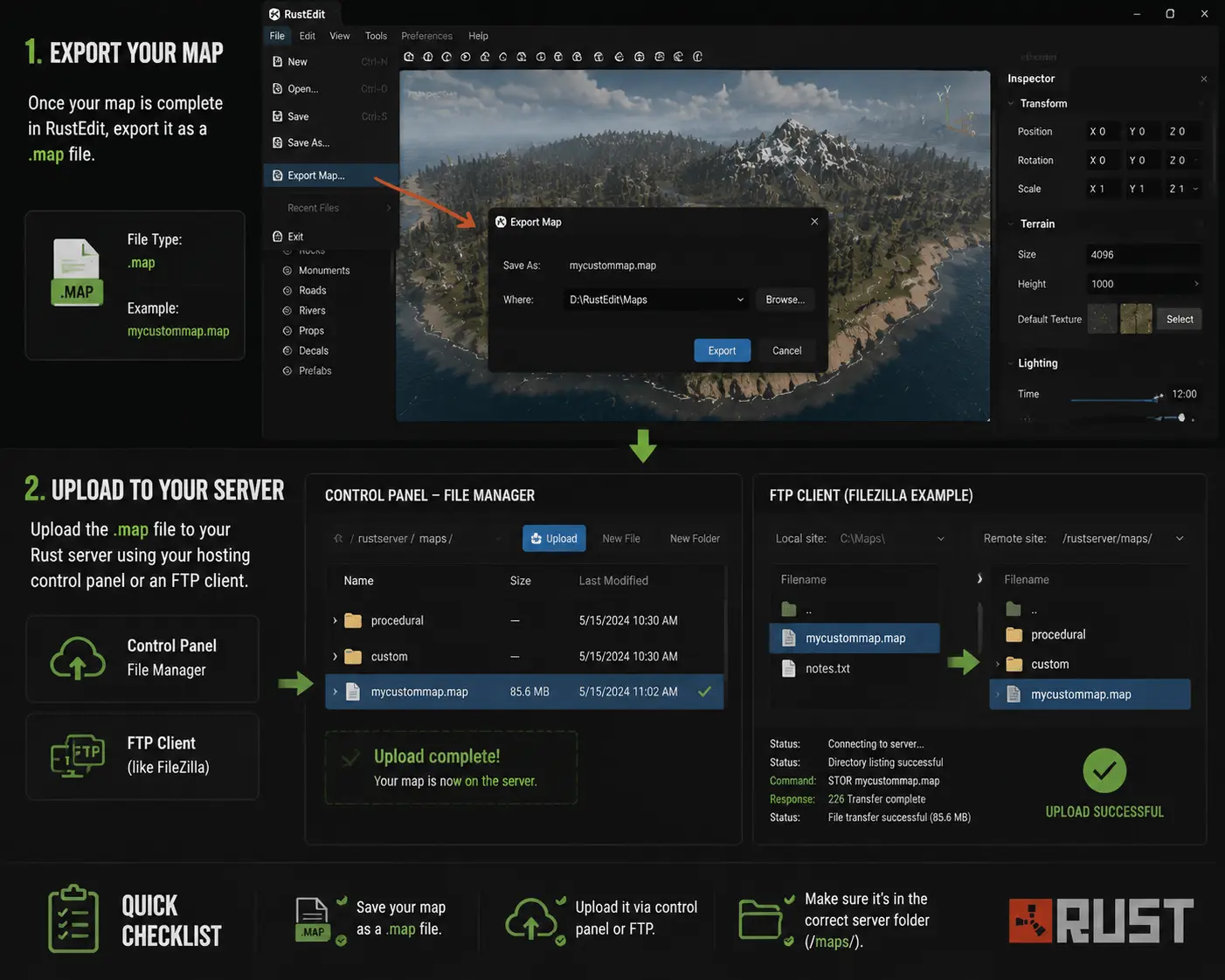
In RustEdit, just save it as a .map file. That’s the only way Rust actually knows what to do with it.
Next, upload it. You can use your server’s control panel or just drag it over with an FTP client, whatever’s easier. Make sure it ends up in the right folder, or it won’t load.
Quick checklist so you don’t screw it up:
- Save it as .map.
- Upload via control panel or FTP.
- Double-check it’s in the right server folder.
Boom. Map’s on your server, ready for action.
Configuring Your Rust Server for Custom Maps
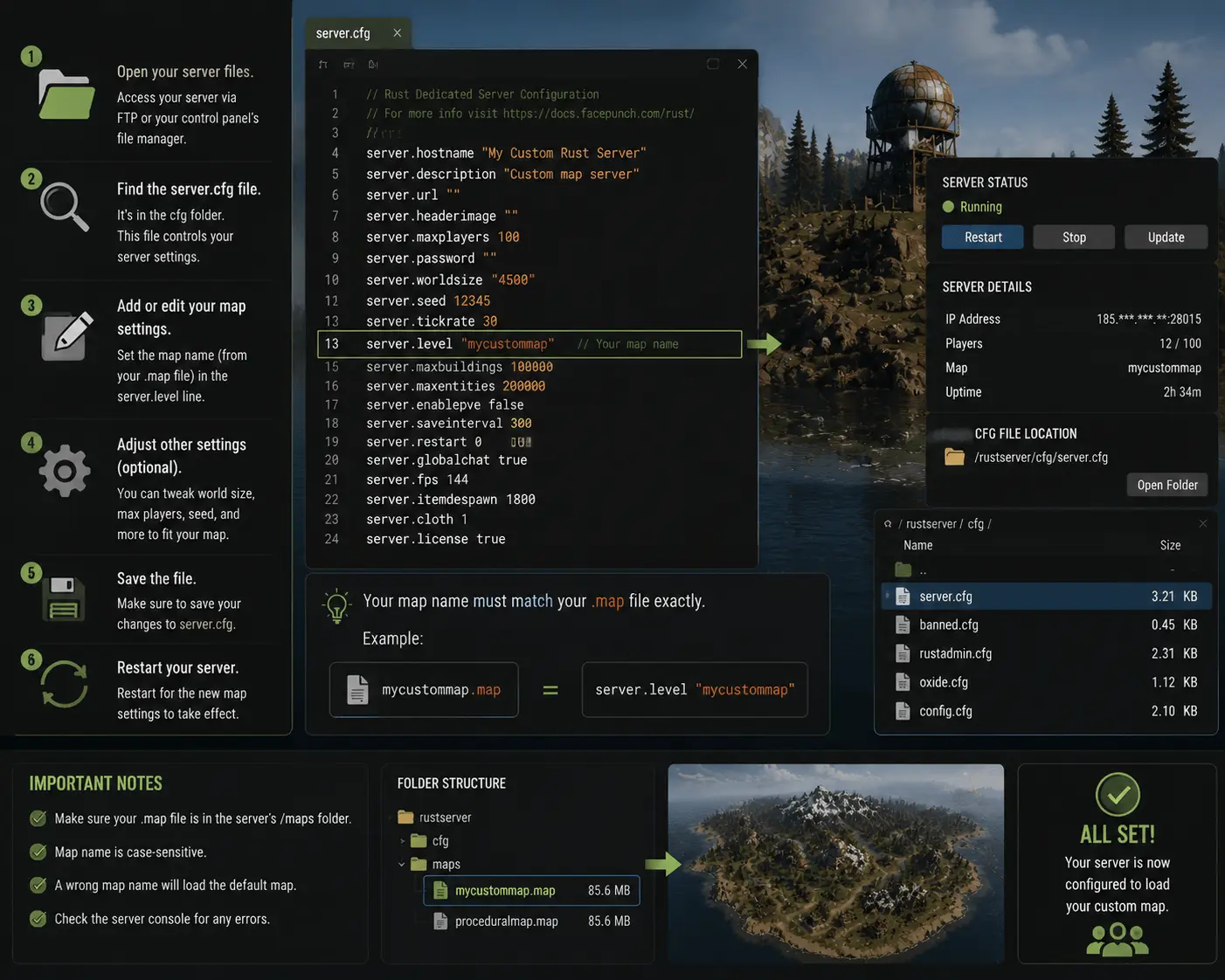
Okay, so your map’s on the server. Now you gotta make Rust actually see it. Grab the config files, usually server.cfg or something similar.
Open it, scroll around, find where the map stuff is. Please change the name so it matches your .map file exactly. If it’s even slightly off, Rust will just ignore it, trust me, I’ve done that more times than I care to admit.
While you’re there, tweak any other settings if you feel like it. Don’t stress too much, just make sure you save before quitting.
Checklist? Eh… basically:
- Open server.cfg
- Map name, your map file
- Mess with other settings if you want
- Save it and pray it works
Do it right, and your server won’t freak out when people join.
Testing and Sharing Your Custom Map
Before you actually let anyone on your map, you kinda gotta run around it yourself. Make sure nothing’s broken, nothing’s unfair… like, you don’t want players glitching through walls or finding wild overpowered loot spots. Just mess around, jump, fight, loot, whatever.
Once it doesn’t make you rage-quit, throw it out there. Rust folks love testing new maps. You’ll get comments like “hey, this hill is broken” or “loot is way too scarce here,” and honestly, that’s exactly what you want.
Do it like this:
- Fire up a local server. Just for testing.
- Go wild. Try silly stuff players might do.
- Share it somewhere, Discord, Reddit, wherever Rust people hang out.
Take what they say seriously, tweak your map, test again. Rinse and repeat. By the end, you’ll have something people actually enjoy, and that’s the fun part.