Special Offer




How to Install Yersinia on Ubuntu 20.04



If you want your network to be best secure, having the right tools is key. One of the best options is to install Yersinia on Ubuntu 20.04 for testing layer 2 network security. Unlike other tools that only look at application-level threats, Yersinia goes straight to the protocols that actually keep your switches and routers talking to each other.
In this guide, I’ll walk you through installing Yersinia on Ubuntu 20.04 step by step, so you can quickly check your network’s strength and make sure everything is running smoothly and securely.
Quick Setup via Package Manager
if you just want Yersinia working without overcomplicating things, Ubuntu’s package manager has your back. Open your terminal and type:
sudo apt-get update
sudo apt-get install yersinia
Done. Seriously, that’s it. Ubuntu handles the boring stuff like dependencies for you, so you can start poking around with Yersinia right away. Perfect if you’re new or just want to dive in without headaches.
Compiling Yersinia from Source Code
First, you’ll need a few tools and libraries Ubuntu expects, so open a terminal and run:
sudo apt-get install build-essential libpcap-dev libnet1-dev libgtk2.0-dev
After that, jump into the folder where you unpacked or cloned Yersinia’s source. Then it’s just three simple commands:
./configure
make
sudo make install
That’s it. Yeah, it takes a little more effort than the quick install, but you get the latest features and can tweak things exactly how you like. Trust me, it’s worth it if you want to really know what’s going on under the hood.
Overcoming Common Installation Errors
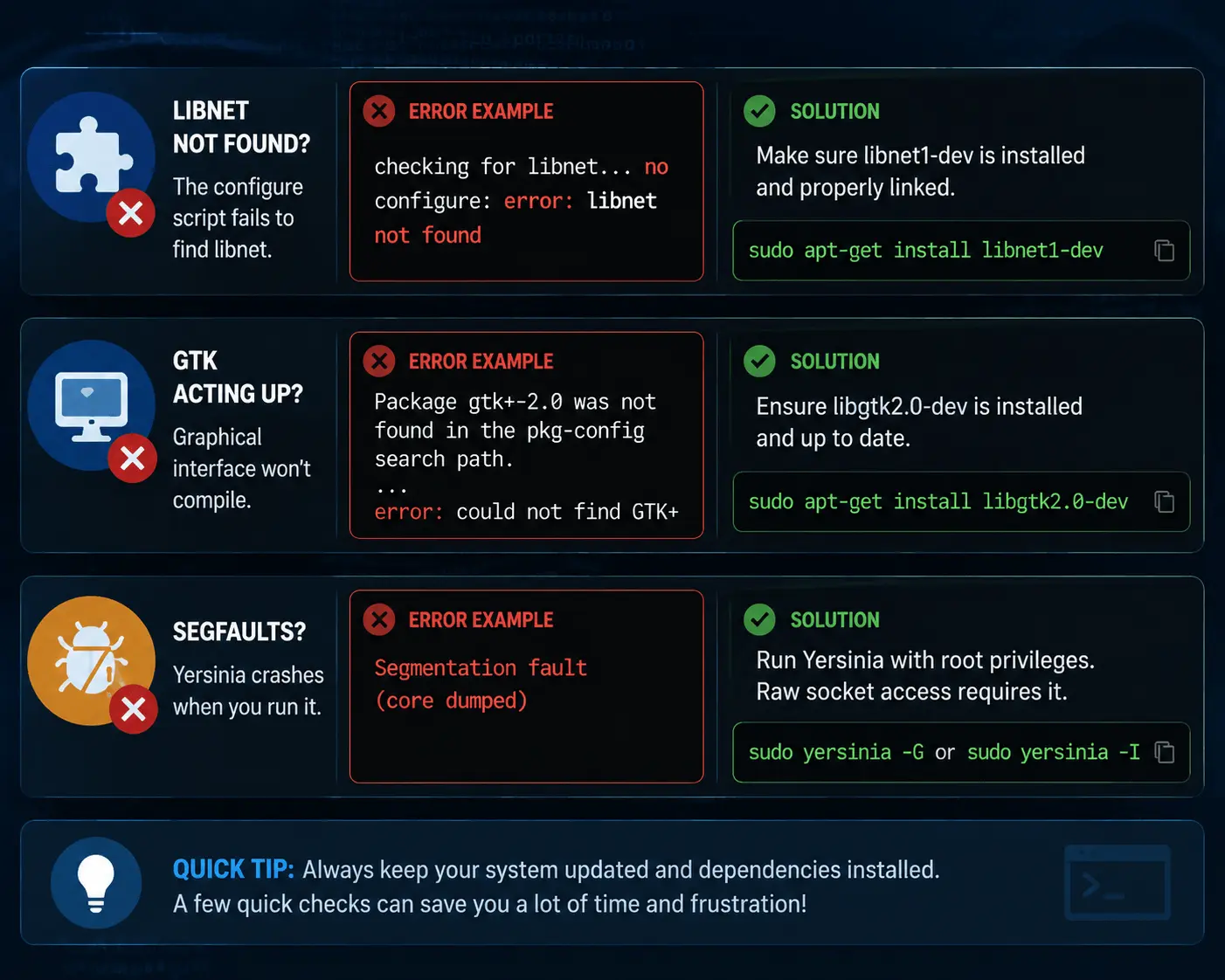
Installing Yersinia can throw a few curveballs sometimes. Here’s how I usually the common ones:
- Libnet not found? Check that libnet1-dev is installed and linked correctly. That’s usually the culprit if the configure script fails.
- GTK acting up? If the graphical interface won’t compile, make sure libgtk2.0-dev is fully updated.
- Segfaults? If Yersinia crashes when you run it, remember to use sudo. Raw socket access needs root permissions.
A few quick checks like these save you a ton of frustration, get these right, and Yersinia should run smoothly.
Launching and Using Yersinia
Once you’ve got Yersinia installed, firing it up is a breeze. If you want the graphical interface, just type:
sudo yersinia -G
The GUI is really intuitive, you can map out protocols visually without scratching your head.
Working over SSH or prefer something lightweight? Switch to the terminal mode:
sudo yersinia -I
It’s ncurses-based, fast, and super responsive. Perfect when you don’t need the fancy graphics and just want to get things done quickly.
Key Capabilities in Action
If you’re deciding between Yersinia and Scapy, here’s the thing: Scapy is awesome for crafting packets from scratch, but Yersinia comes ready-made with modules that handle common Layer 2 attacks automatically. That makes life a lot easier for network pros.
Here are some ways security experts use it:
- Spanning Tree attacks: Test your switches and make sure your root bridge can’t be easily messed with.
- VLAN trunking checks: See if anyone could hop across VLANs they shouldn’t.
- DHCP starvation tests: Make sure your network doesn’t crash when IPs run out.
- HSRP analysis: Check critical router redundancy setups on Linux to prevent gaps in your failover system.
Basically, Yersinia helps you hit the usual weak spots in Layer 2 without reinventing the wheel.
Conclusion
Getting Yersinia running on Ubuntu 20.04 gives you a solid set of tools to spot the weak spots in your network. Once you know how to install it, handle hiccups, and run those Layer 2 tests, you’re not just guessing, you’re actively protecting your network from real-world threats.