Special Offer



Best Mcp Servers for Business Sales Marketing

 Study duration :
20 Minutes
Study duration :
20 Minutes  0 Comment
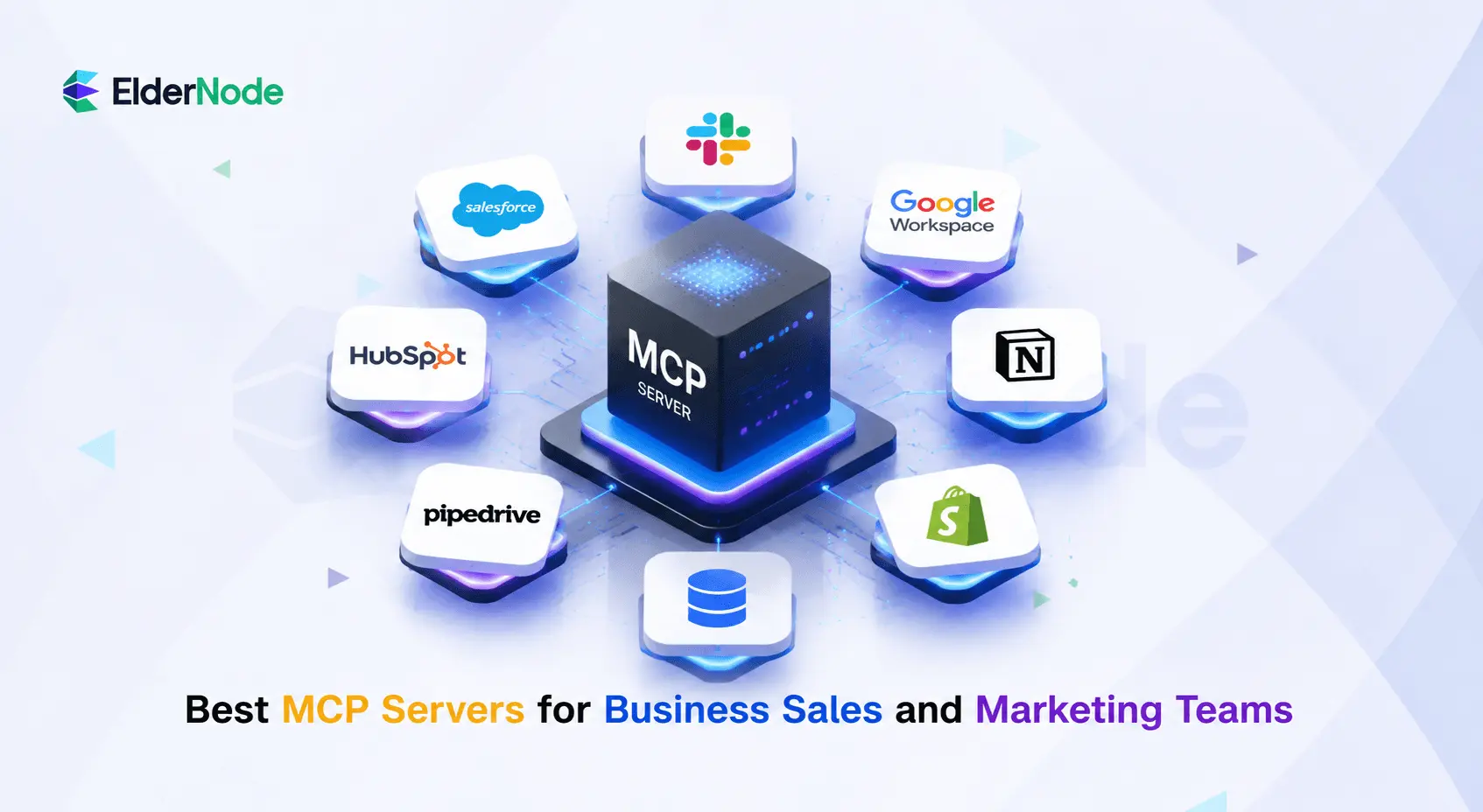
If your team is using AI for revenue operations, the best MCP servers are the ones that connect assistants to the systems your sales and marketing teams already trust: CRM, analytics, messaging, documentation, commerce, and internal databases. In this guide, we’ll help you identify the best MCP servers for business sales marketing needs. MCP, or Model Context Protocol, is an open protocol for connecting LLM applications to external tools and data sources, with key building blocks such as resources, prompts, and tools.
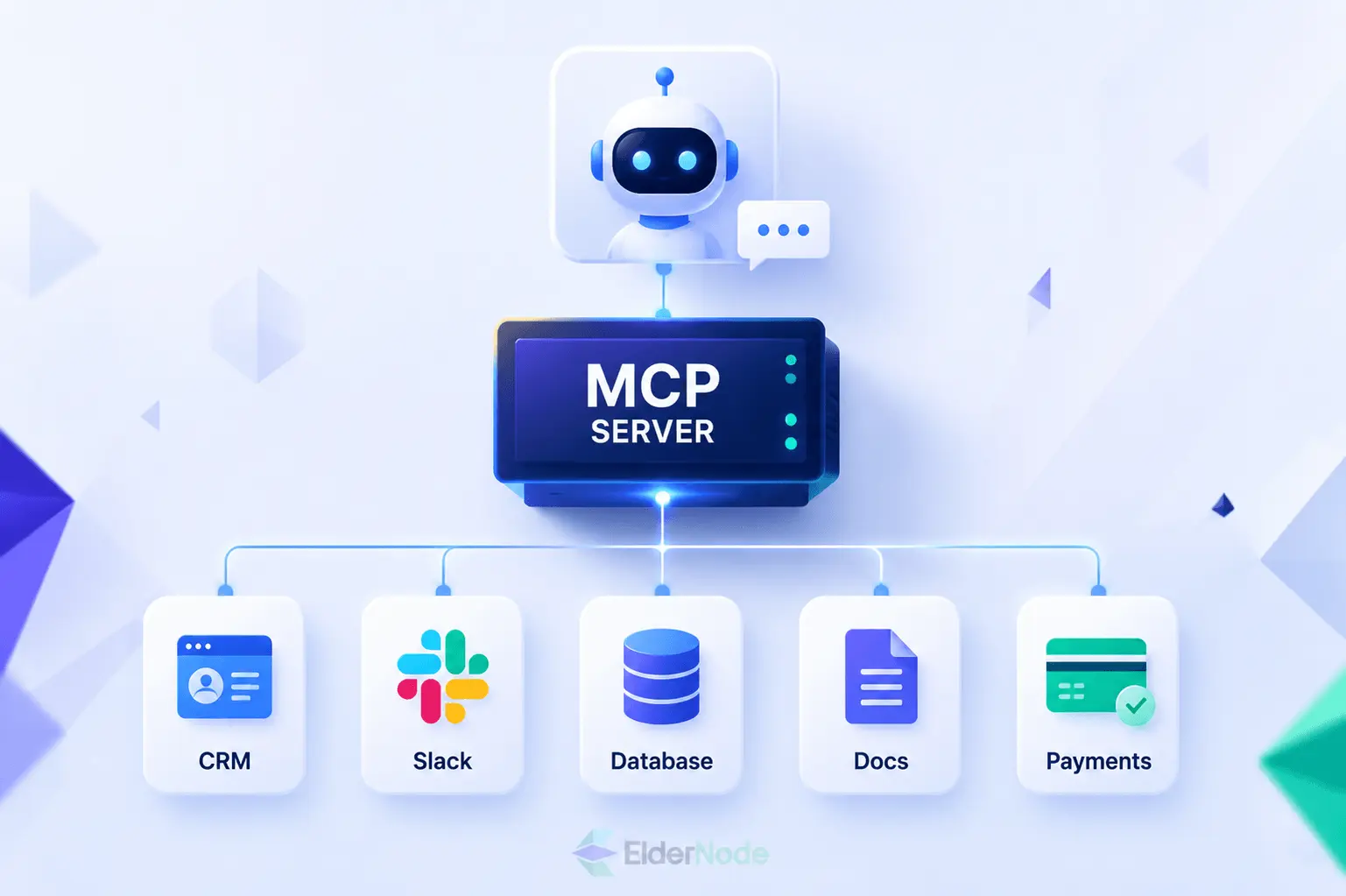
Below is a practical MCP server list for business sales and marketing teams. This is not a gaming roundup of the “best mc servers”; it is a business-focused guide to MCP servers that can help AI agents research accounts, draft outreach, summarize activity, update records, and surface customer context faster.
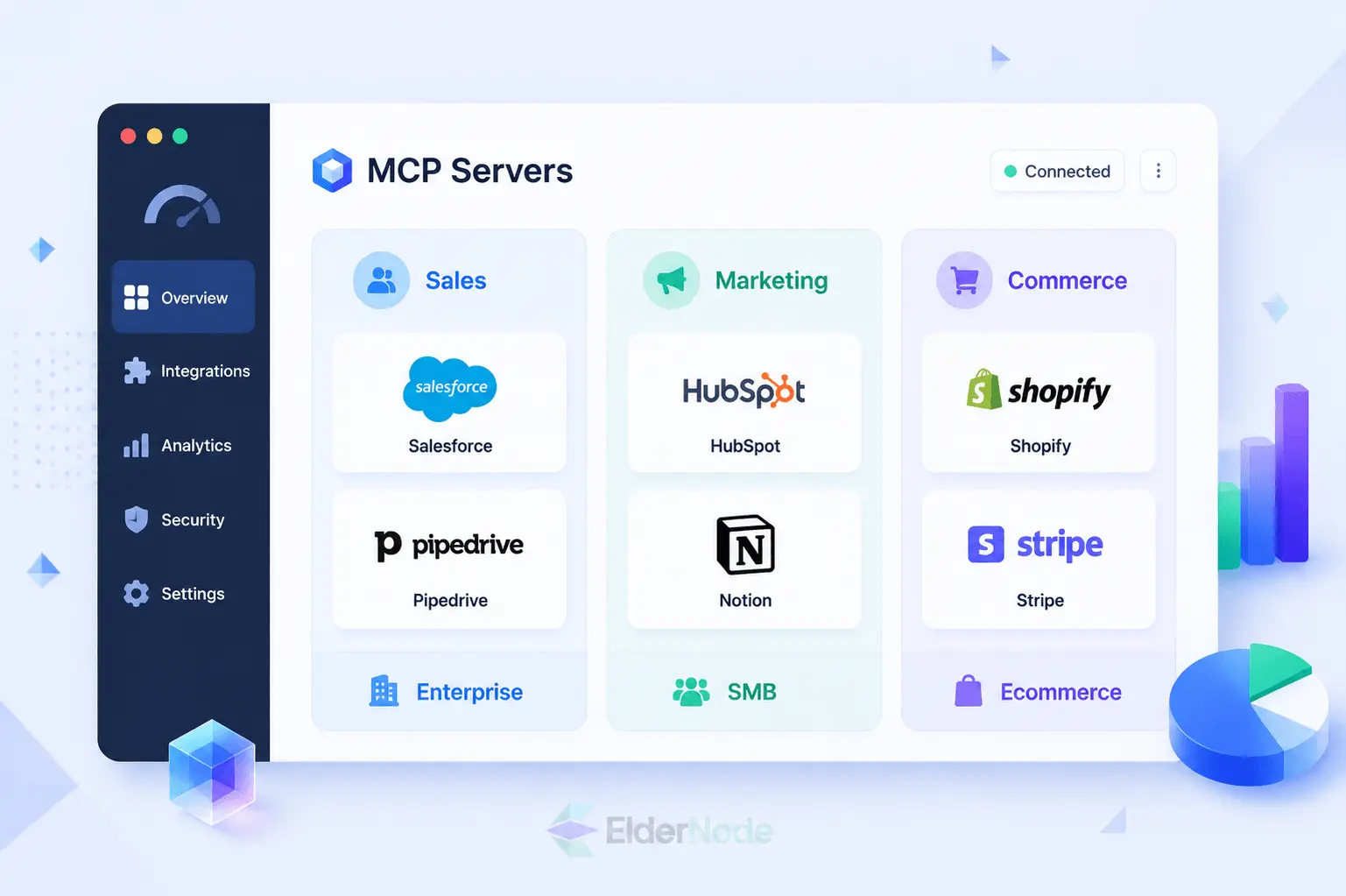
1. Salesforce MCP Servers
CRM data is usually where the whole sales workflow revolves around, which makes Salesforce a pretty natural place to start. With its API Catalog, teams can keep all their MCP servers organized in one spot, whether that’s Salesforce itself, MuleSoft or servers they’ve added manually. Its native MCP client also lets agents connect straight to servers that pull from Salesforce data.
Best for: enterprise sales ops, Agentforce workflows, account research, opportunity summaries and keeping CRM access under control.
Why it matters: no more clicking through screen after screen just to find one piece of context. A rep can simply ask about a customer, check where a deal stands in the pipeline, or pull up account history, and get the answer on the spot, like asking a colleague who already knows everything. And for teams that care about security, there’s a built-in safeguard, Salesforce-hosted MCP servers stay off by default until an admin turns them on.
2. HubSpot MCP Server
HubSpot’s MCP server is a strong option for SMB and mid-market teams that run sales, marketing, and service workflows in one CRM. HubSpot says its MCP server enables AI assistants and LLMs to securely interact with HubSpot CRM data through natural conversation.
Best for: lead research, enriching contact details, keeping deals updated, giving marketing content a hand, and powering CRM-based AI assistants.
Why it matters: HubSpot is often where marketing-qualified leads become sales conversations. With an MCP connection, teams can just ask the kind of questions they’d normally dig for, like which contacts engaged recently, which deals are overdue for a follow-up, or what campaign context belongs in an email.
3. Pipedrive MCP
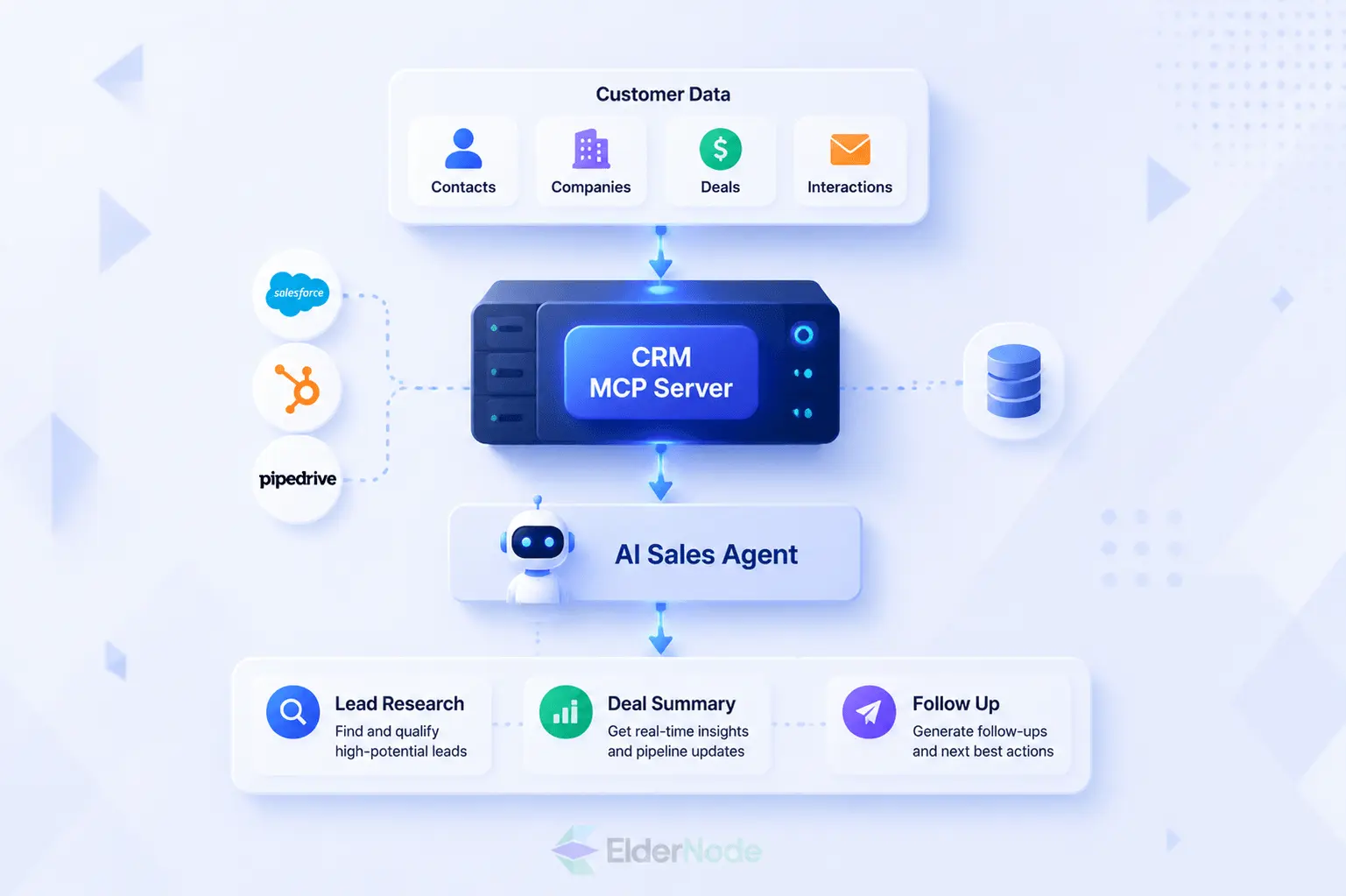
Pipedrive earns its spot on any revenue-focused MCP server list, mostly because pipeline management and sales activity are exactly what it was built for. In fact, Pipedrive now has its own knowledge base category dedicated to Pipedrive MCP, covering everything from Claude and ChatGPT resources to its native MCP setup and the tools available within it.
Best for: smaller sales teams, pipeline hygiene, deal follow-ups, activity tracking, and AI-assisted sales coaching.
Why it matters: a sales assistant connected to Pipedrive can help reps understand deal status, prepare for follow-ups, and identify next actions without constantly switching between tabs.
4. Slack MCP Server
Slack is where many revenue teams discuss deals, customers, launches, and campaign performance. Slack’s developer documentation says the Slack MCP server can let integrated apps search channels, send messages, and perform other Slack actions through MCP clients, while workspace admins can approve and manage MCP client integrations.
Best for: internal sales support, account handoffs, campaign collaboration, and customer issue escalation.
Why it matters: AI agents are more useful when they can reference the conversations where decisions happened. Slack MCP can help surface buried context, summarize threads, and turn internal discussions into next steps.
5. Google Workspace MCP Servers
For sales and marketing teams that live inside Gmail, Drive, Calendar, Docs and Sheets, Google Workspace is pretty much unavoidable. Google’s own developer docs walk through how to set up remote MCP servers for Workspace products, and they use OAuth 2.0 to handle authentication.
Best for: email context, meeting prep, proposal drafts, campaign planning, spreadsheet analysis and document search.
Why it matters: anyone in sales or marketing knows the feeling, half your work is buried across random docs, a packed calendar, endless email threads, and shared folders nobody can quite navigate. With Google Workspace MCP, an AI assistant can actually pull all that context together before a call, a campaign review or an update to leadership, instead of you hunting it down yourself.
6. Notion MCP
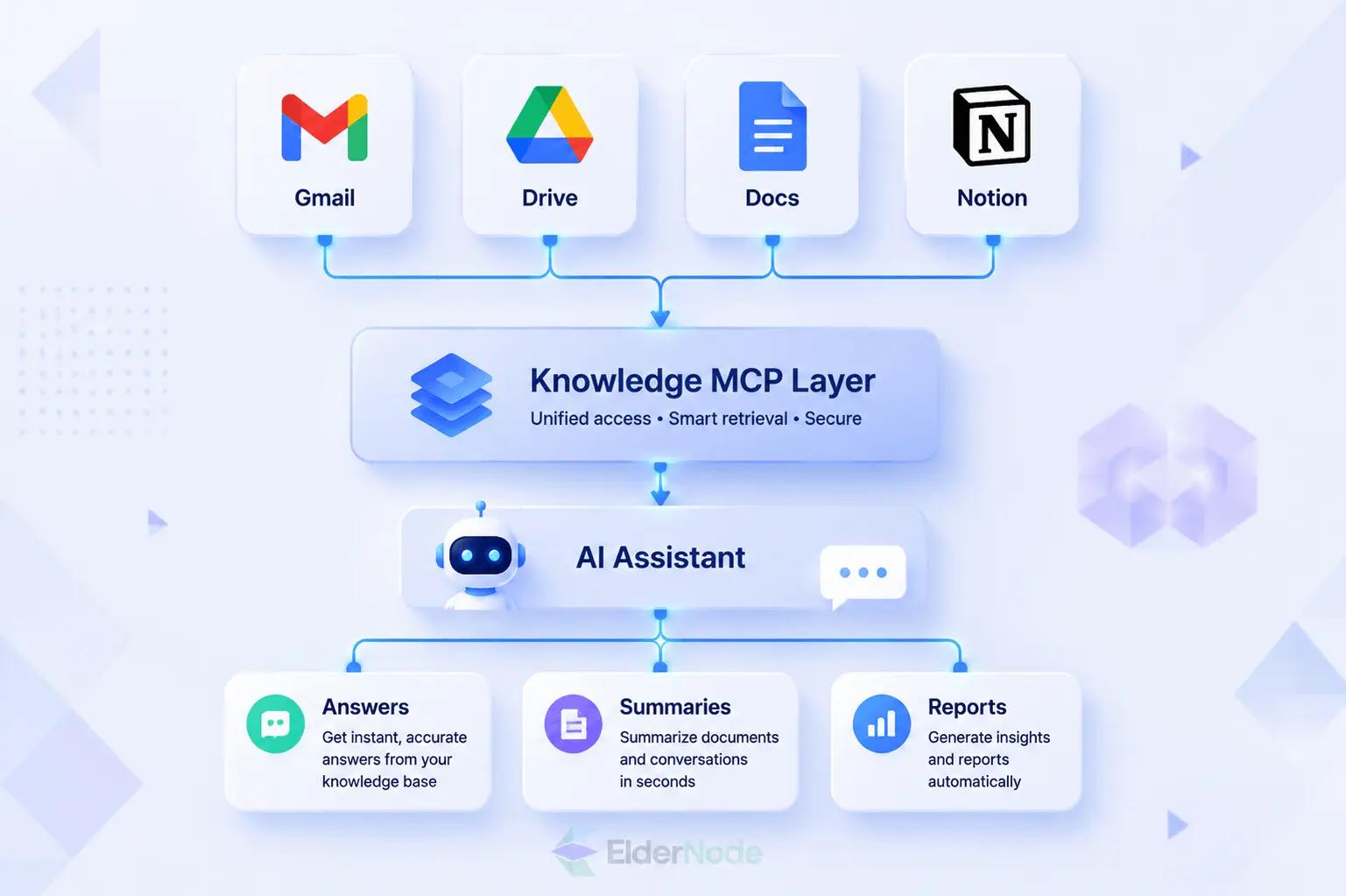
If your team keeps briefs, SOPs, content calendars, product notes and campaign plans in Notion, this one’s a great fit. Notion puts it simply: their MCP is a hosted server that lets AI tools securely tap into a workspace, and it only shows what the user themselves is already allowed to see, nothing more.
Best for: marketing planning, content operations, product marketing notes, sales enablement libraries and internal knowledge bases.
Why it matters: an AI tool is only as useful as the context it can reach. Notion MCP helps turn all those scattered planning docs into something actually usable, whether that’s a quick summary, a brief or a status update, without someone having to piece it together by hand.
7. Shopify Storefront MCP
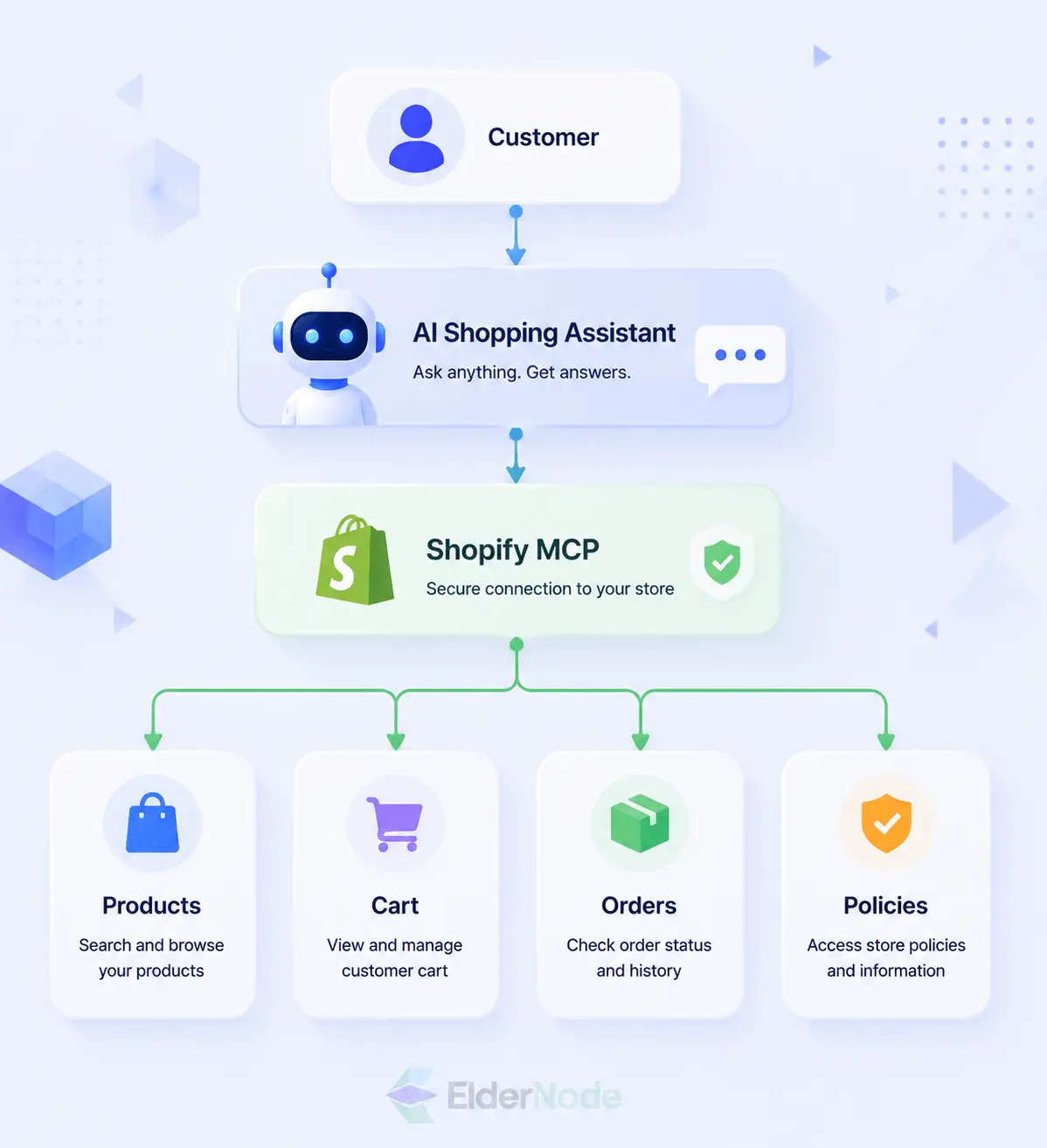
If you’re running an online store, this one’s worth a look. It basically hooks AI shopping and support tools straight into your live commerce data. Shopify explains it like this: Storefront MCP plugs AI assistants straight into a store’s catalog, cart and policies, so shoppers can search around, ask whatever’s on their mind, or check out just by typing the way they normally would, texting a friend, basically, nothing stiff, nothing that feels like talking to a machine.
Best for: ecommerce marketing, AI shopping assistants, helping shoppers discover products, cart workflows, and any sales experience that faces the customer directly.
Why it matters: MCP isn’t just something for internal teams to be more productive. On a storefront, it can shape the actual buying journey. A shopper asks something in plain language and gets back an answer that’s actually aware of what they’re browsing, not some generic canned response.
8. Stripe MCP Server
If you’re on a revenue, finance or growth team, Stripe MCP can be a real help whenever AI needs to touch payments, subscriptions, customers, coupons or billing. Stripe describes it as giving AI agents tools to work directly with the Stripe API, plus search through Stripe’s own knowledge base, docs, support content and all.
Best for: billing support, payment operations, subscription analysis, coupon workflows and developer-assisted payment setup.
Why it matters: it’s not just a finance thing either, sales and marketing teams often need payment context too, for offers, renewals, trials and lifecycle campaigns. Worth flagging: Stripe recommends using restricted API keys when you’re setting up autonomous agents, since that’s really the key to keeping an agent from touching more than it should.
9. GitHub MCP Server
GitHub may not sound like a sales or marketing tool at first, but it matters for technical marketing, developer relations, product launches, and customer-facing engineering requests. GitHub’s official MCP server supports toolsets and individual tools, and it includes a read-only mode that skips write tools to prevent changes to repositories, issues, and pull requests.
Best for: developer marketing, changelog creation, release notes, customer issue research, and technical sales support.
Why it matters: when product and GTM teams collaborate, GitHub context can help marketing understand what shipped, what changed, and what customer-facing updates need to be communicated.
10. Database MCP Servers
Database MCP servers, like ones built for PostgreSQL or an analytics warehouse, are powerful when you want AI to actually answer questions using your own first-party data. Just use them carefully, connect to read-only views where you can, avoid exposing sensitive customer data too broadly, and always require approval before any write action goes through.
Best for: revenue analytics, campaign reporting, lead scoring context, customer segmentation and executive dashboards.
Why it matters: CRMs and marketing platforms rarely tell the full story on their own. A database MCP server lets AI assistants tap into cleaner, properly governed data sources, which opens the door to much deeper sales and marketing analysis.
11. Browser Automation MCP Servers
Sometimes a platform just hasn’t gotten around to building a proper MCP server or API connector yet, and that’s exactly where browser automation steps in. It’s great for the repetitive stuff nobody wants to do by hand, QA checks, research, internal admin tasks, the kind of thing that eats up a whole afternoon if a person’s doing it manually.
Best for: competitive research, landing page QA, lead list validation and automating workflows across whatever web tools your team actually uses.
Why it matters: not every sales or marketing platform has a clean MCP option yet, so browser automation can bridge that gap for now. Just don’t skip the guardrails, keep permissions tight, log everything and make sure a human signs off before anything sensitive actually happens.
12. Custom MCP Servers on Eldernode Dedicated Servers
Sometimes the best MCP server isn’t something you download, it’s something you build yourself, wrapped around the systems only your team really understands. A custom server can open up internal pricing logic, product catalogs, campaign performance data, call transcripts, proprietary docs, even lead scoring rules, but only to the AI clients you’ve personally vetted and trusted.
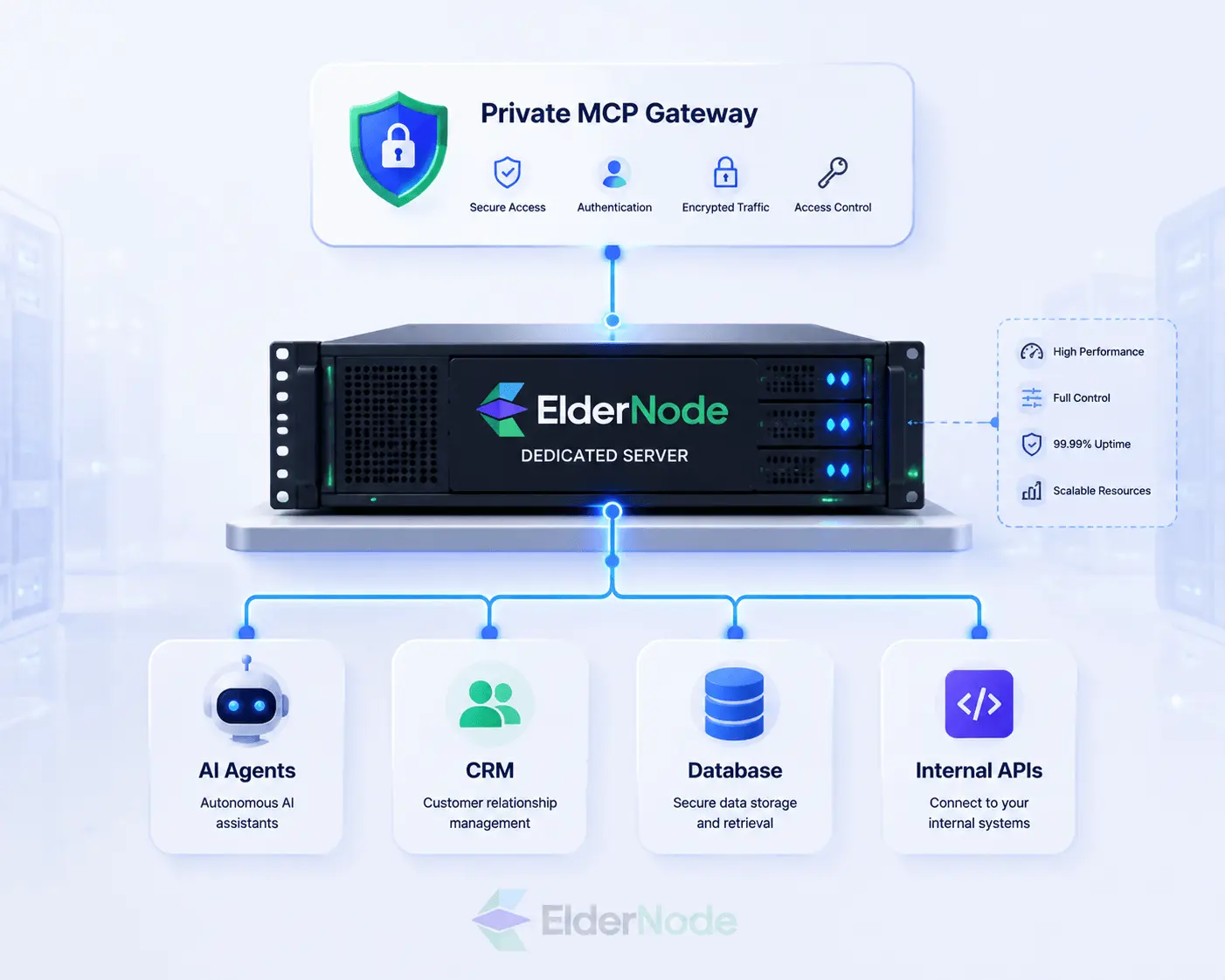
And this is exactly where Eldernode Dedicated Servers earn their place. When what you’re after is real control, a private deployment, the freedom to install whatever software the job requires, and resources that belong to you and no one else, dedicated infrastructure just makes sense, particularly for MCP gateways, internal APIs, logging and security tooling. Eldernode frames its dedicated servers as physical machines with zero resource-sharing, backing that up with control, bandwidth, storage, custom software, backups and content management as the real selling points.
Best for: private MCP gateways, custom sales intelligence tools, regulated workflows, internal analytics, and any team that would rather keep sensitive data off shared infrastructure entirely.
How to Choose the Best MCP Servers for Your Team
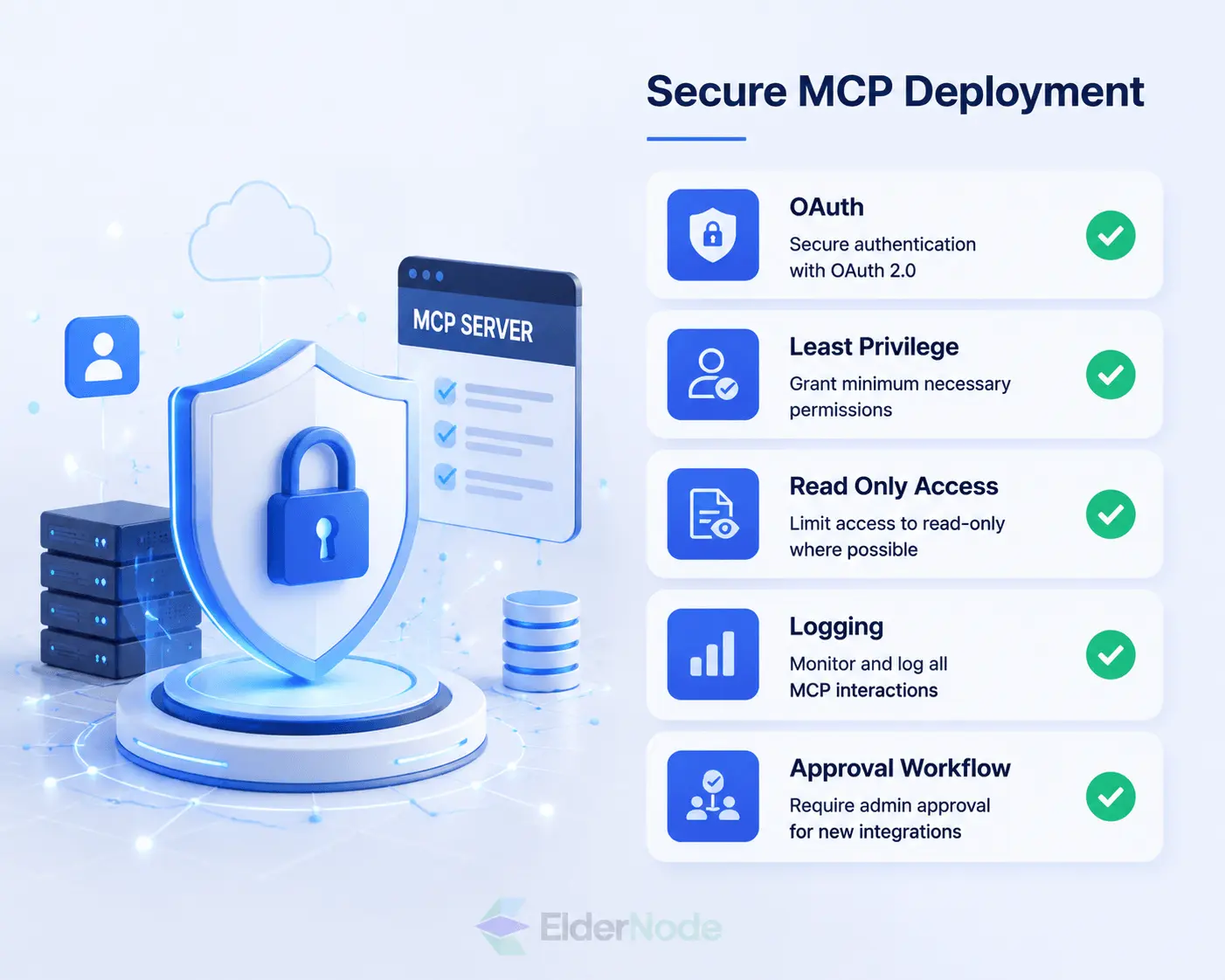
Before you go install every connector you come across, it’s worth narrowing things down first. Here’s what to actually look at:
- Start with your system of record. For most sales teams, that means Salesforce, HubSpot or Pipedrive, whatever holds the real data.
- Lean toward official or vendor-maintained servers. They’re just easier to trust and verify, and someone else is keeping them updated.
- Stick to least-privilege access. Start read-only whenever you can, and only add write access once you actually need it.
- Look closely at authentication and admin controls. OAuth, scoped permissions, the ability to revoke a session, these details matter more than people think.
- Write everything down. Keep an internal list of every MCP server in use, who owns it, what it’s for, what permissions it has and when it was last reviewed.
- Be thoughtful about where private workflows live. If you’re dealing with sensitive revenue data, something like a dedicated environment, such as Eldernode Dedicated Servers, is worth considering.
Final Recommendation
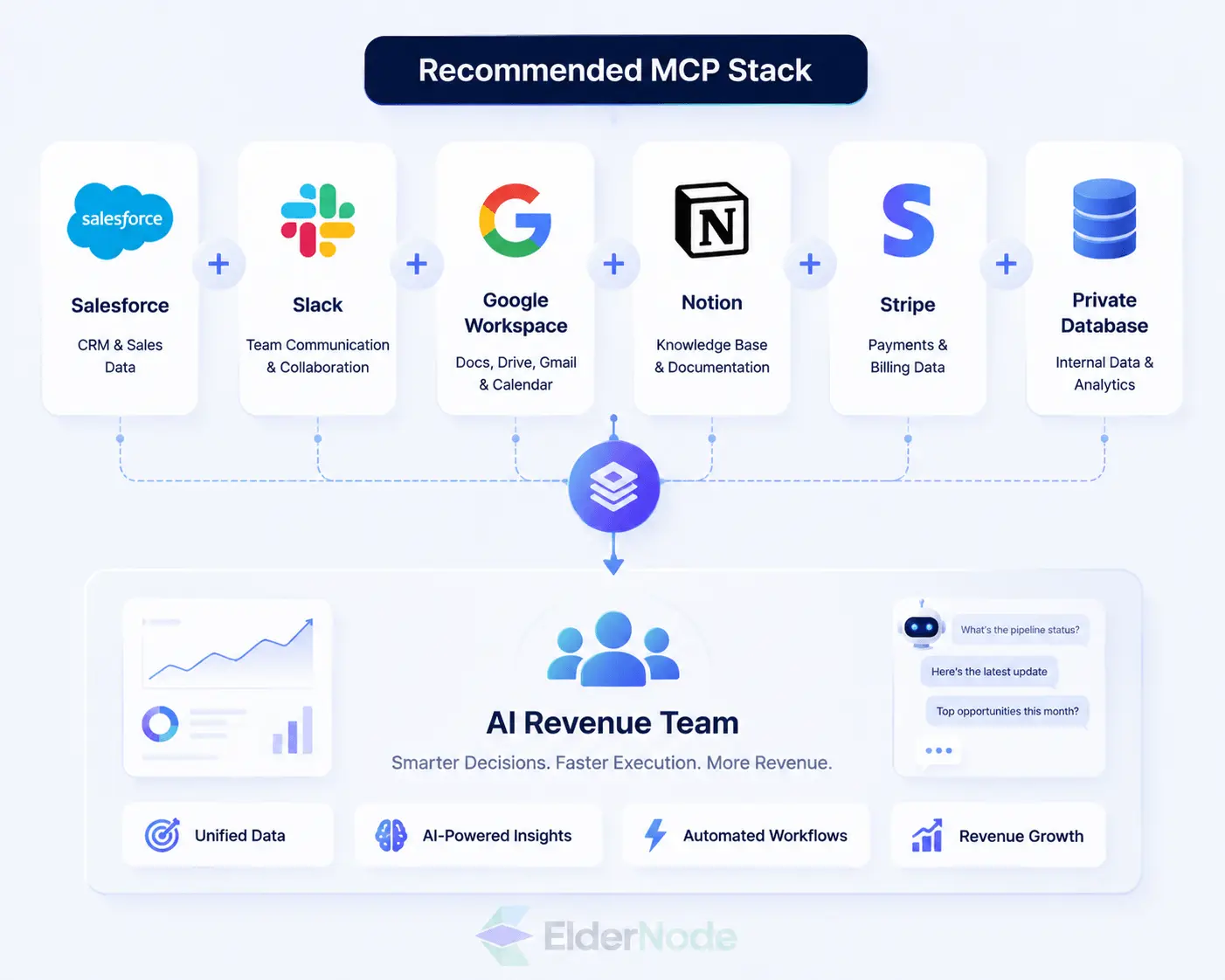
For most sales and marketing teams, it makes sense to start with the systems you’re already relying on every day, your CRM, workspace, messaging, docs and payment tools. A solid first stack usually looks something like Salesforce or HubSpot, Slack, Google Workspace, Notion, Stripe and a private database MCP server.
And if your business needs something more custom, workflows that call for tighter infrastructure control, it’s worth looking at deploying private MCP services on Eldernode Dedicated Servers. That way your team gets to manage performance, access and sensitive business context in an environment that’s actually yours.