Special Offer



Debian vs Ubuntu: Which is Better?

 Study duration :
15 Minutes
Study duration :
15 Minutes  0 Comment
If you’ve ever tried Linux, you’ve probably run into Debian and Ubuntu. They’re closely related, Ubuntu is actually built on Debian, but they’ve ended up feeling quite different.
Choosing between them depends on what you want to do. Setting up a server? Reviving an old laptop? Or just getting away from proprietary software? Knowing how they differ can make life a lot easier.
Philosophy and Governance: Who’s Behind Debian and Ubuntu?
A lot of people focus on package managers, desktop environments, or hardware support when comparing Debian and Ubuntu. But the real difference starts much earlier than that.
Debian is a community project. There isn’t a company making the final call on every decision. Thousands of contributors from different countries help maintain the distribution, discuss changes, where the project goes next. Because of that, Debian tends to move carefully and avoids making changes just for the sake of convenience.
Ubuntu comes from Debian, but it’s developed by Canonical. Having a company behind the project changes things. Development moves faster, new features often arrive sooner, and there is usually a stronger focus on making Linux easier for people who simply want to install it and get to work.
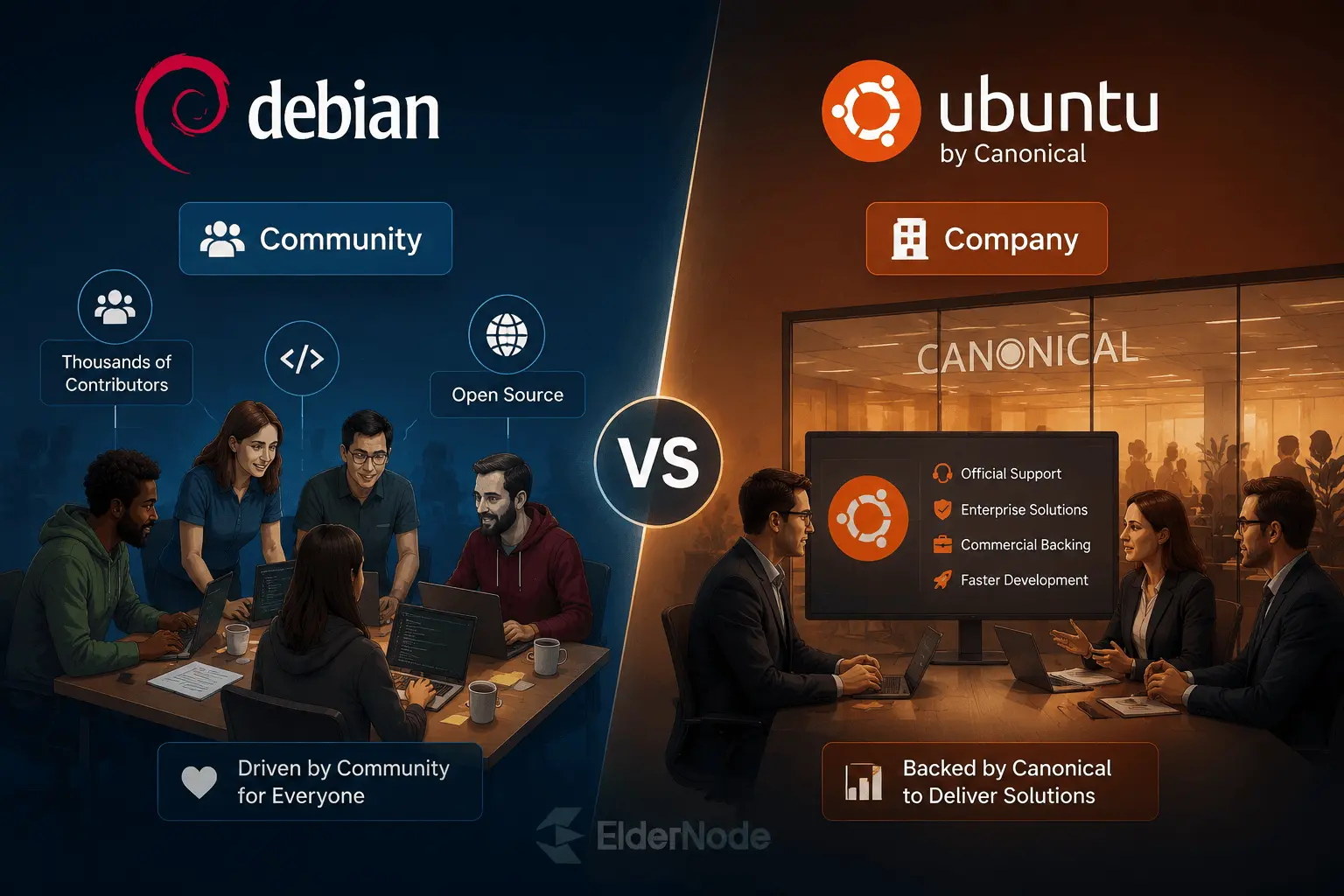
You can see this difference in small details. Debian is often happy to leave a choice up to the user, even if it means a little extra setup. Ubuntu is more likely to make that choice for you and provide something that works right away.
Release Cycles and System Stability
If updates and system reliability matter to you, the way an operating system handles releases is a big deal. Both Debian and Ubuntu follow fixed release schedules, but they do it in slightly different ways.
Debian’s Stable branch is famous for taking its time. A new stable release only happens when the community feels everything has been tested thoroughly, usually about once every two years. The packages might not be the newest, but the system is solid. Once it’s running, it rarely crashes or breaks unexpectedly.
Ubuntu moves a bit faster. New versions come out every six months, while Long Term Support (LTS) releases appear every two years. LTS versions strike a balance: you get newer software than Debian’s stable branch, but without sacrificing reliability. It’s a setup many people and businesses rely on when they want an operating system that’s both update and dependable.
Hardware Compatibility and the Beginner Experience
For many people, the first few hours with a Linux distribution are what matter most. You install it, reboot, and hope everything works without spending the evening searching forums for missing drivers.
This is where Ubuntu has traditionally had an advantage. On most modern laptops, Wi-Fi, Bluetooth, graphics, sound, and other hardware are usually detected during installation with very little effort from the user.
Debian has improved a lot in this area over the last few years. Older Debian releases sometimes required extra steps to get certain wireless adapters or graphics hardware working. With Debian 12, the installation process became much more straightforward, and many of the firmware packages that users used to install manually are now available directly from the installer.
That said, Ubuntu still tends to be the easier option when you’re dealing with brand-new hardware. If you’ve just bought a laptop and want Linux running as quickly as possible, Ubuntu generally asks fewer questions along the way.
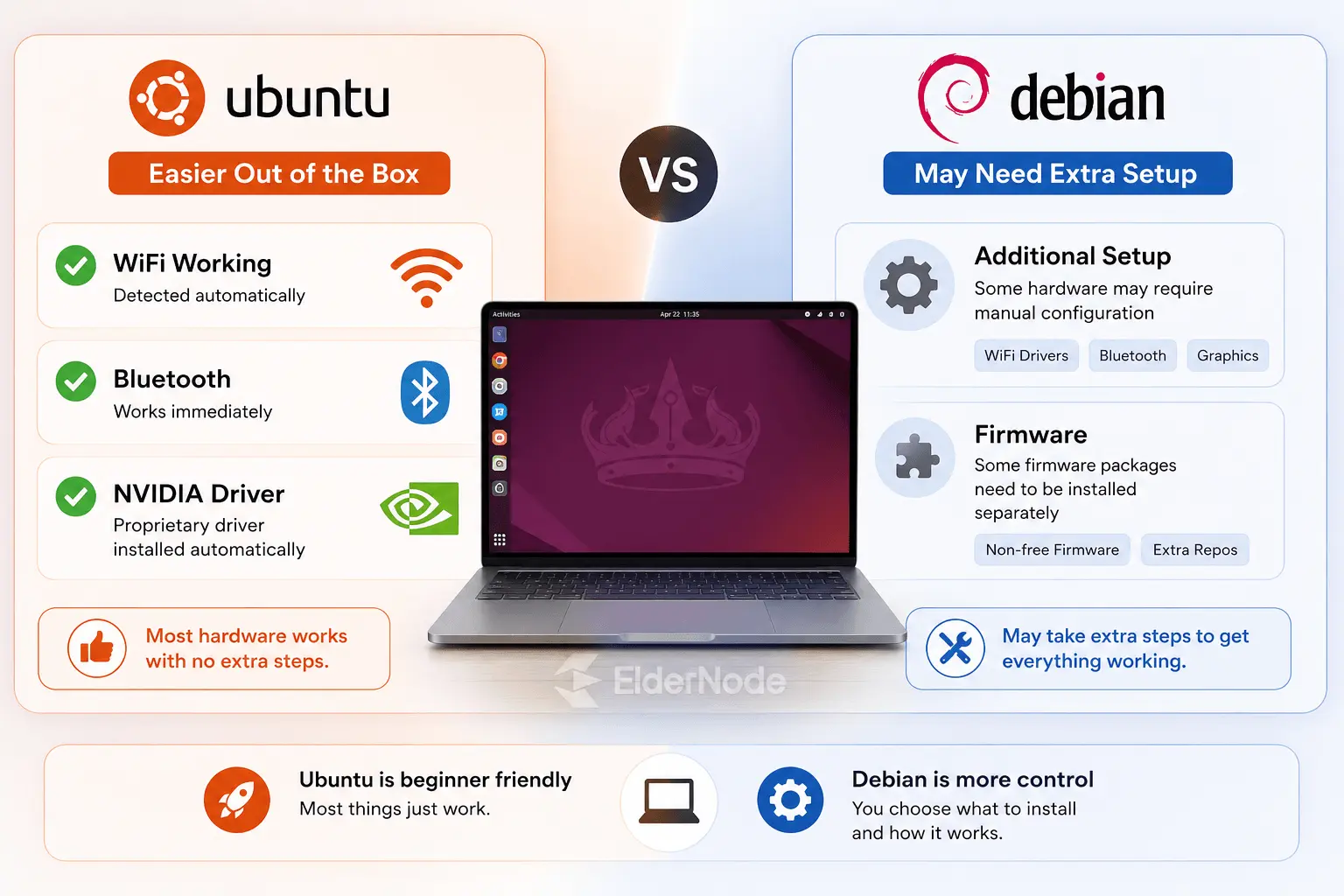
The two distributions also take different approaches after installation. Ubuntu ships with a fairly complete desktop environment and a collection of applications ready to use from day one. For some people that’s convenient. Others look at the same installation and see software they’ll never open.
Debian is more conservative. A fresh installation can feel noticeably leaner, especially if you choose a lightweight desktop environment. There are fewer extras running in the background, and you have more control over what gets installed.
That approach can be particularly useful on older machines. A laptop that’s starting to feel sluggish under modern operating systems can often remain surprisingly responsive with Debian paired with a desktop environment such as XFCE or LXQt. You won’t turn a ten-year-old computer into a brand-new one, but you can often get a few more productive years out of it.
Software Repositories and Package Management
If you’ve spent time on Debian or Ubuntu, you quickly notice they both use .deb packages. That’s where the similarities end for most casual users.
Debian keeps things simple and clear. It separates fully free software from stuff that’s proprietary or requires extra firmware. That means you know exactly what’s on your system. Installing anything outside the main repository usually means you have to hunt it down yourself. Some people like that, it’s clean, predictable, and gives you control.
Ubuntu, on the other hand, tries to save you time. Most drivers and extra software are already ready to go. When you install something, it often drags along a few extra packages to make sure everything works. It’s less about purity and more about convenience.
Then there’s the Snap debate. Ubuntu loves Snaps. Some apps, like Firefox, come as Snaps instead of regular .deb packages. They’re easy to install, but on some machines they start slower and take up more disk space. Debian users usually use with APT packages or use Flatpak if they need new apps. Flatpaks feel a bit more traditional and community.
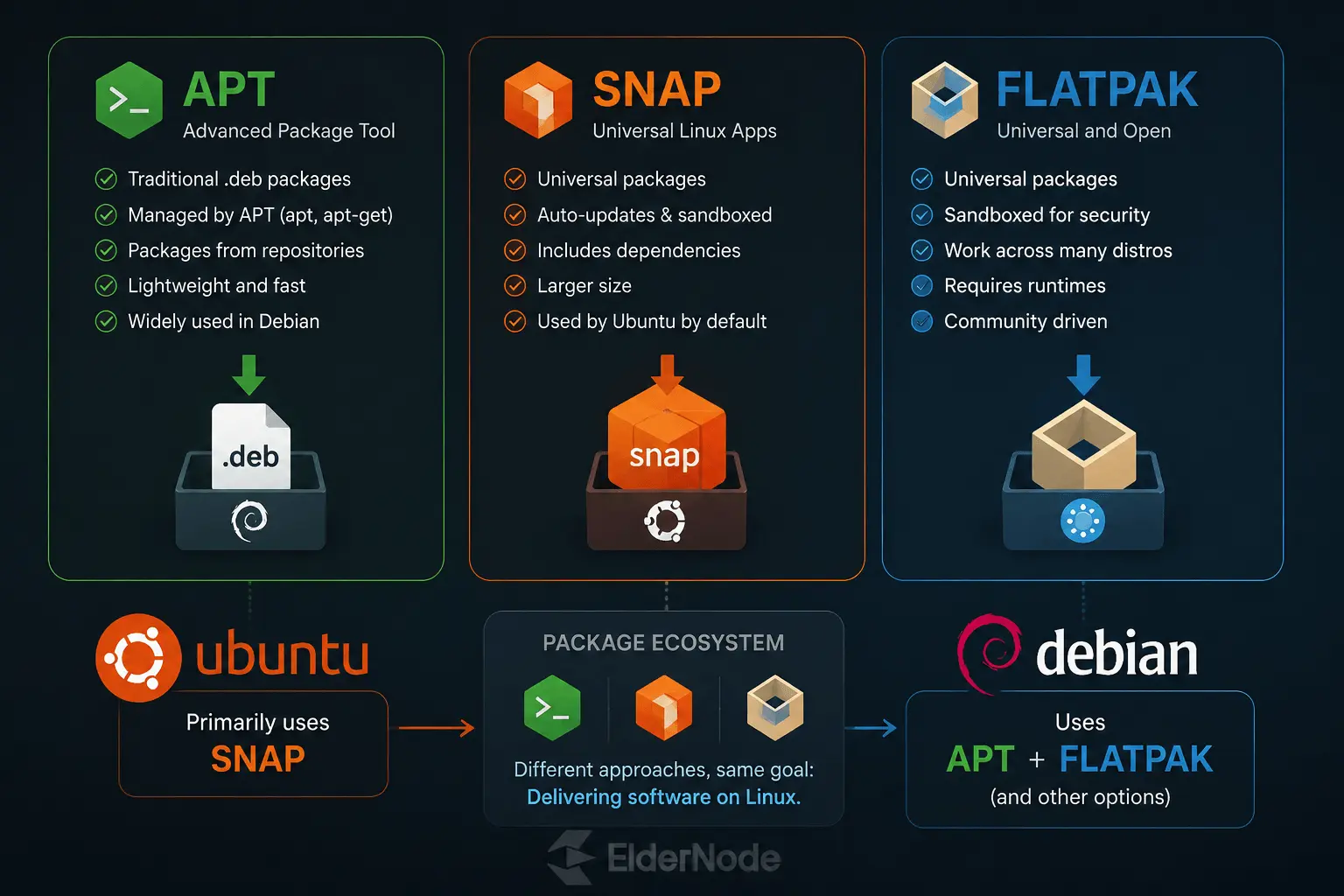
In the end, it comes down to how much control you want versus how much setup you’re willing to do. If you don’t mind doing a bit of extra work to stay in control, Debian is nice. If you just want things to work right away, Ubuntu handles that for you.
Servers and Security
I’ve run both Debian and Ubuntu servers for years, and here’s the simple way I think about it.
Note: Both Debian and Ubuntu are commonly deployed on Linux servers.
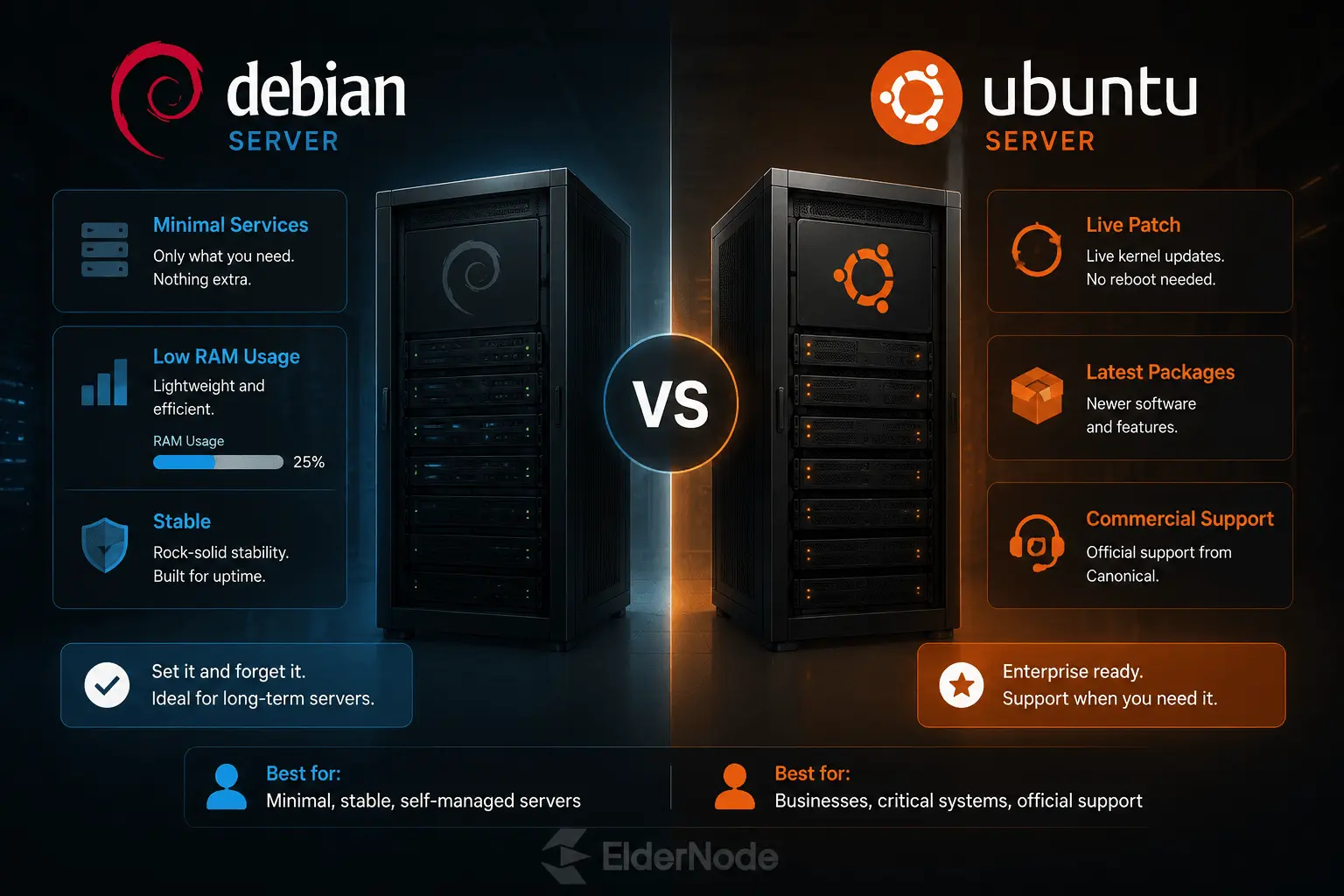
Debian is the “set it and forget it” type. You install only what you need, it barely uses RAM, and it won’t bother you with extra stuff running in the background. Less software means fewer ways for something to go wrong, so it naturally feels more secure. If you like keeping things lean and tidy, Debian is hard to beat.
Ubuntu is different. It’s a little friendlier if you want things to just work out of the box. Need live kernel updates, the latest server software, or official support from Canonical? Ubuntu’s got that covered. Sure, it has more services running by default, but their security team keeps things patched fast.
Honestly, both are solid. The choice really comes down to whether you want a minimal, “do-it-yourself” setup (Debian) or something a bit more plug-and-play with support baked in (Ubuntu).
Making the Transition
A lot of people start out with Ubuntu because it’s easy to get going. The installer does most of the work, and things just work on day one. But after a while, many of us feel the urge to go “full Debian.” You want something lighter, cleaner, and free from extra corporate decisions.
Moving from Ubuntu to Debian is surprisingly smooth. The folder structure, the package system, most of it feels familiar. The main difference is that Debian expects you to do a little more yourself. You’ll spend more time tweaking things, but that’s also part of the fun. Once you get the hang of it, you understand your system a lot better.
The Bottom Line
If someone asked me which one to install today, I’d probably answer with a question: what are you planning to do with it?
If you’re new to Linux, Ubuntu is usually the easier starting point. Installation is straightforward, hardware support is generally good, and most things work without much effort. That’s one reason so many people begin their Linux journey with Ubuntu.
Debian appeals to a different crowd. Some people simply prefer having a system that stays out of their way. It doesn’t try to add much, recommend much, or decide much for you. Once everything is set up, it tends to sit quietly in the background and do its job.
Neither choice is a mistake.
In fact, many Linux users end up using both at different times. You might run Ubuntu on your laptop because it’s convenient and keep Debian on a server because it’s predictable. Or you might start with Ubuntu, learn the basics, and later decide Debian suits your style better.
The good news is that you’re choosing between two projects with a long history, huge communities, and plenty of documentation. Whichever direction you go, you’ll be working with one of the most established Linux VPS distributions available today.